DiCOS Account
Apply for a DiCOS Account
Go to DiCOS Account Page to apply DiCOS account.

Channel |
Applicant |
|---|---|
Apply DiCOS Account |
Non-Academia Sinica Users |
Academia Sinica SSO |
Academia Sinica Users |
Note
If you are a member of Academia Sinica, please use AS-SSO (single sign-on) to register your DiCOS account.
Non-AS Users
Step 1: Personal Information

Fill in your personal information
Select your research group. (Your PI will approve your application)
Setup account / password in DiCOS

Note
Please setup your password in a secure way (you may refer to this link for chooing a secure password), and don’t share it to anyone. DiCOS users have the obligation to keep their DiCOS account safe. Any malicious activities will be logged and DiCOS administrators keep the right to suspend the suspicious account if necessary.
Step 2: Confirm your e-mail address

Check your mailbox and find our confirmation email (see format as below). Verify by clicking the url in the e-mail.
From: DiCOS <DiCOS-Support@twgrid.org>

Dear User (<dicos_user>):

        Thanks for signing up DiCOS!
        Your application is been accepted.
        Please go to the following url to verify your email.
        https://canew.twgrid.org/ApplyAccount/xxxxxx

        Please wait for your group leader's approval to activate your account.

        Best Regards,
        Academia Sinica Grid Computing Centre (ASGC)
        Taiwan

=======================================================

Academia Sinica Grid Computing Certification Authority
email: asgcca@grid.sinica.edu.tw
Phone: +886-2-2789-8312
Fax:   +886-2-2789-6793
https://canew.twgrid.org

========================================================
Step 3: PI’s approval

Wait for your PI to approve the application. You will get a notification email when it’s approved.
Step 4: Start to use DiCOS services

Congratulations! You could start using DiCOS services now!
AS Users (via SSO)
Step 1: Sign-up with Academia Sinica SSO

Step 2: Fill in application form

Setup account / password in DiCOS
Your PI will get the notification of your application

Note
If you are logging with Academia Sinica SSO, the default DiCOS account will be the same to the AS-SSO account.
After registration, your DiCOS account and the AS-SSO account will be independent. That is, the password of your DiCOS account is not necessary to be the same to that of AS-SSO account.
Please setup your password in a secure way (you may refer to this link for chooing a secure password, and a password security check will be done while you setup the password), and don’t share it to anyone. DiCOS users have the obligation to keep their DiCOS account safe. Any malicious activities will be logged and DiCOS administrators keep the right to suspend the suspicious account if necessary.
Step 3: Start to use DiCOS services

Congratulations! You could start using DiCOS services now!
Edit DiCOS Account Password/Profile
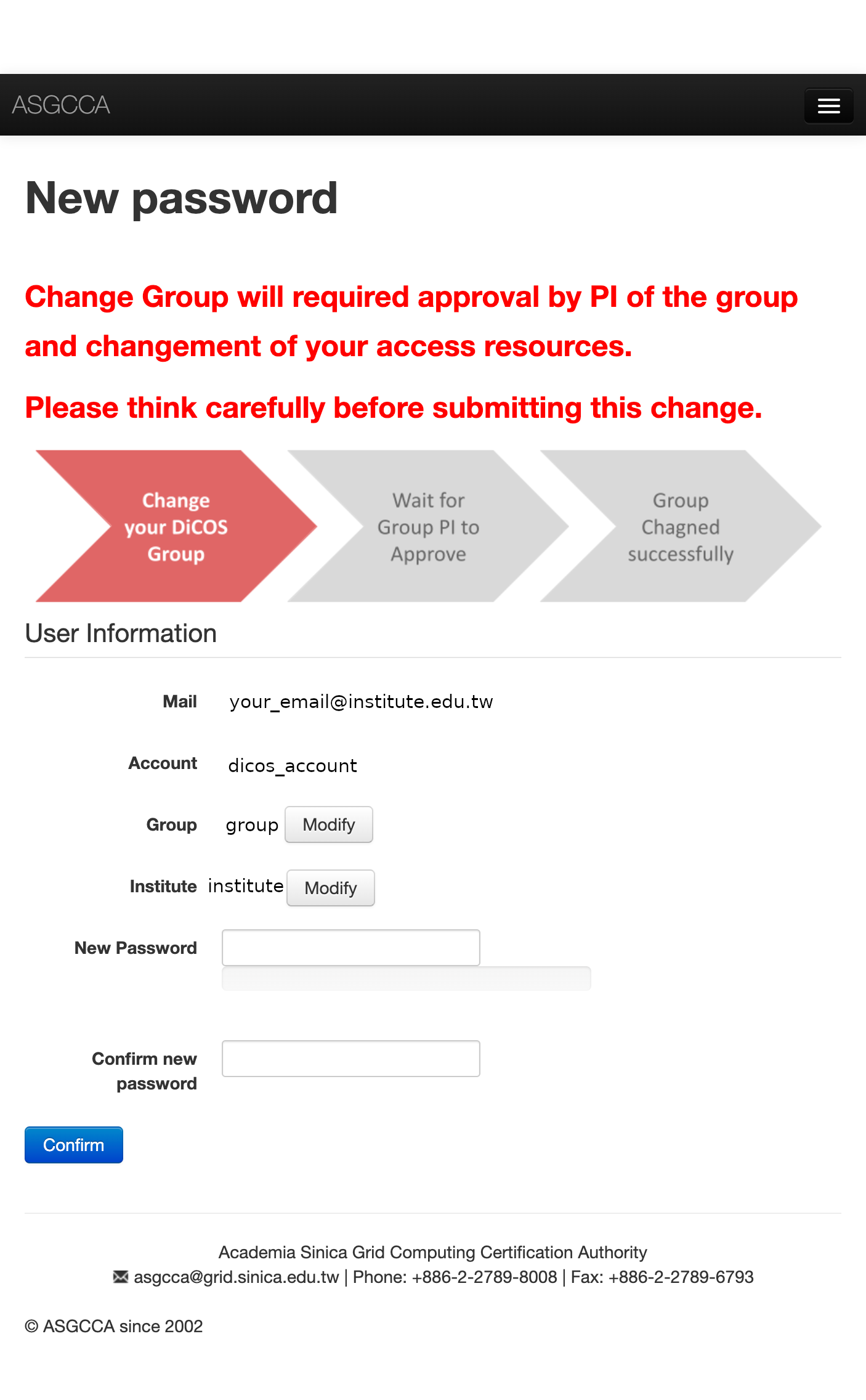
DiCOS user could change the research group, institute and the passwords via this link. Please input your registered e-mail and then follow the instructions of the e-mail to finish the modification.
Action |
Valid Time |
|---|---|
Edit password |
Immediately after modification |
Edit user institute |
Immediately after modification |
Change Group |
Will need to wait for the approval of new group PI |
Note
Group change will need the approval of new proup PI to finish the process
DiCOS user profile could be found in: https://dicos.grid.sinica.edu.tw/profile/info
DiCOS Account Lifetime
The default lifetime of DiCOS account is 1 year. The DiCOS system will send you a mail to extend your account lifetime 30, 15, 7 days prior to the expiration of the account. The content of the reminder mail will be like the following paragraphs.
Dear User (<dicos_user>):

    Your DiCOS account will be expired in 15 days.
    Please extend lifetime of your account
    through https://canew.twgrid.org/ApplyAccount/extendexpiry.php?dicos_user

    Note that if your account have been expired,
    you will not be able to sign in to DiCOS UI or web page.
    If you have more question, please email for us.

    Regards
    DiCOS-Support
Please follow the procedure to extend the account lifetime if you would like to continuously use the DiCOS account.
Note
The recovery of an expired DiCOS account could be only valid for a short period of time. The DiCOS administrator could delete the expired accounting for security reason without notifying the users. Please keep your account in valid state if you would like to use the DiCOS account continuously.
Apply for a DiCOS Group
If you would like to join DiCOS as a PI of a specific research group. Please e-mail to DiCOS-Support@twgrid.org and attached the following messages for application:
Group name |
A name for UNIX identification, length no more than 40 characters, upper & lower cases allowed |
PI Name |
|
PI E-mail |
|
PI Institute |
In Chinese:
Group 名稱 |
需要一個不能含空格或特殊符號的 40 字以內簡稱 |
PI 名字 |
含中英文 |
PI E-mail |
|
PI 所屬單位 |